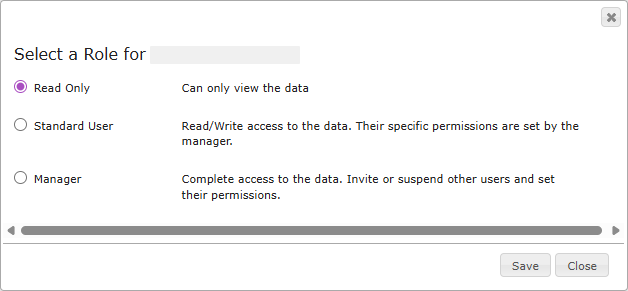
Legrand Cloud CRM has three user roles that have specific user permissions. The user roles include Read Only, Standard User and Manager. A manager can change a user’s role or change the permissions for a Standard user role.
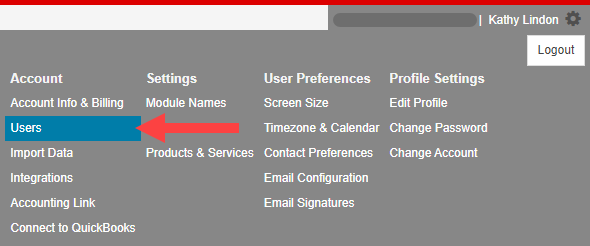
Click the settings icon on the top right of your screen.
Select Users to manage user roles and permissions.
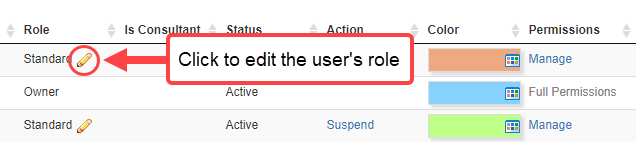
Click the icon shown to change the user’s role.
Select a role for the user and click Save.
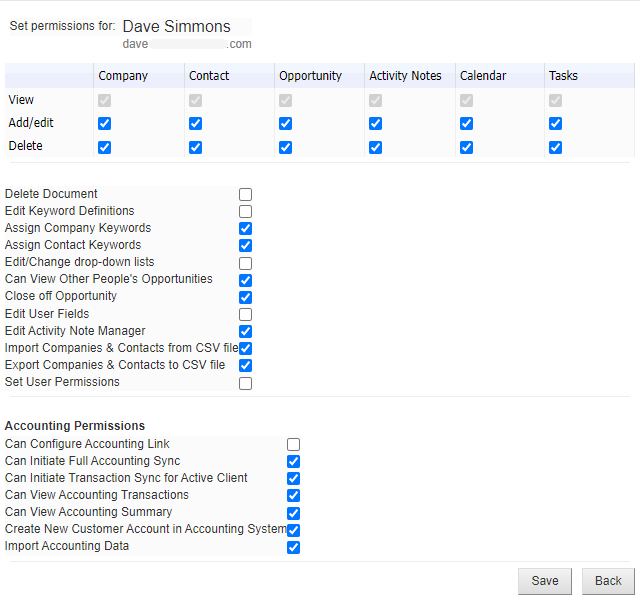
For Standard Users, you can set specific permissions. Click Manage to change the user permissions.
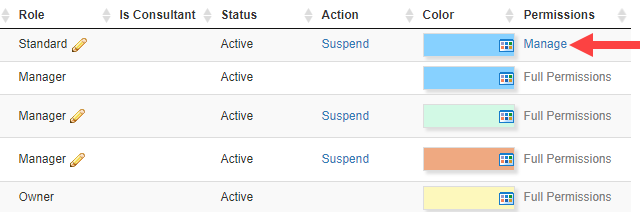
Click on the check boxes to assign or limit the user’s permissions.
Click Save to apply the changes.